Plan the week.
See who is scheduled and where the week needs attention.
ZUNO TEAM · THE PEOPLE BEHIND YOUR BUSINESSZUNO TEAM
Plan shifts. Record attendance. Review the hours. All in one place.Plan shifts. Clock in. Review the hours.
Use your own devices · Check plan availability
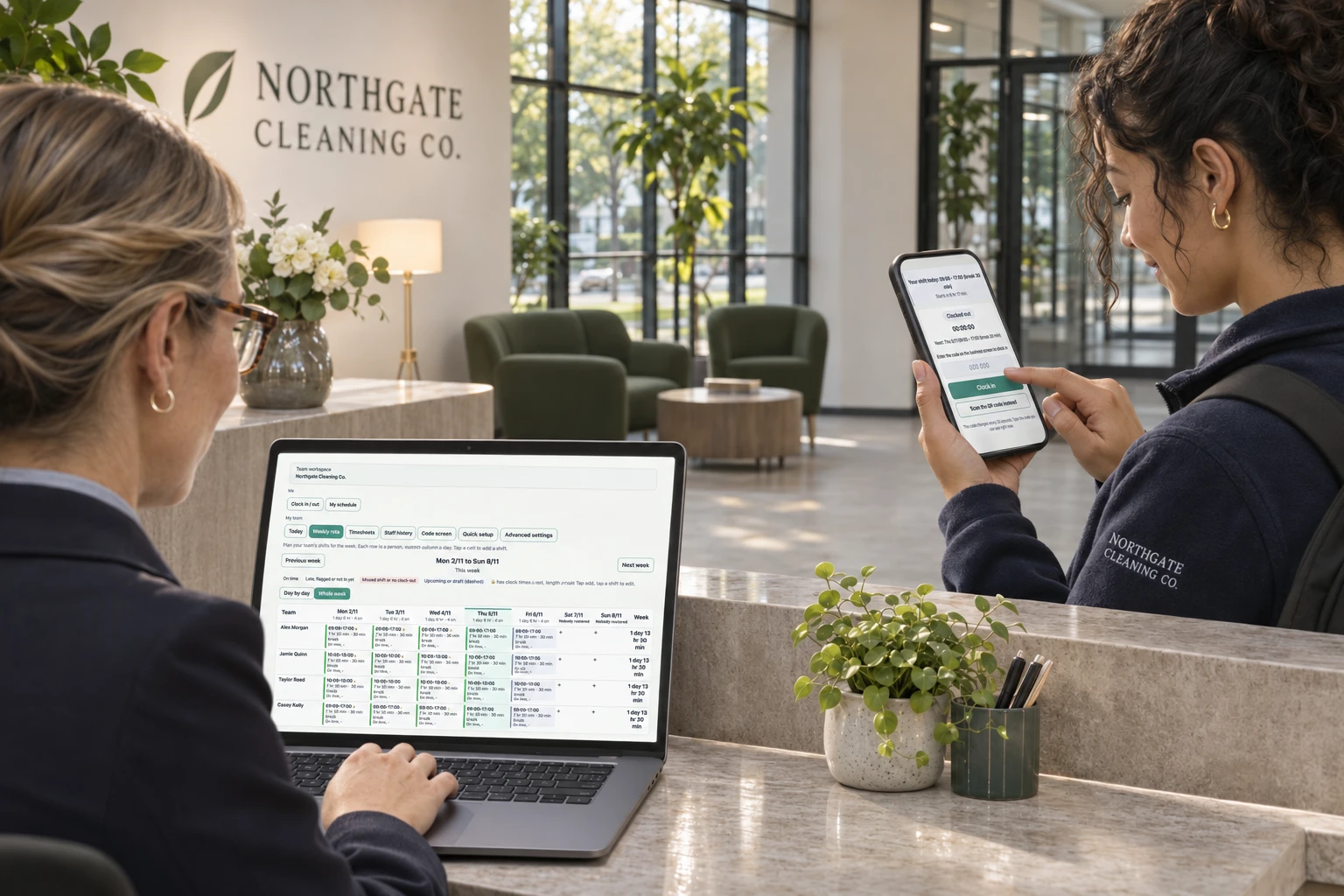
Use Zuno your wayOpen in your browser. Mobile downloads will appear here when released.
See who is scheduled and where the week needs attention.
Staff use their own phone and your configured clock-in checks.
Bring corrections and approvals together before you finish the period.
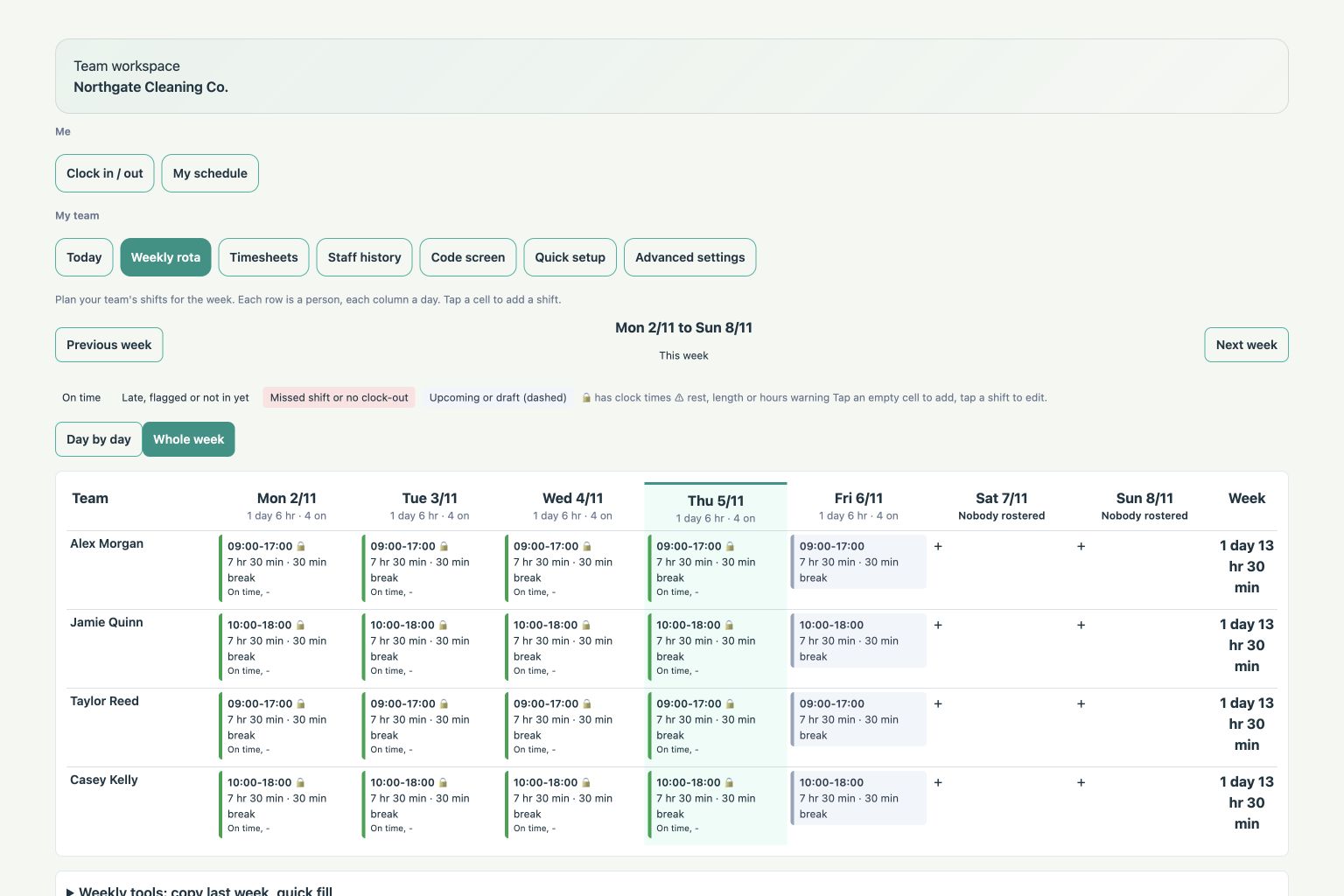
THE WEEK AHEAD
Build and publish the weekly rota. Staff see their shifts; managers see the cover they have planned.
ON THE DAY
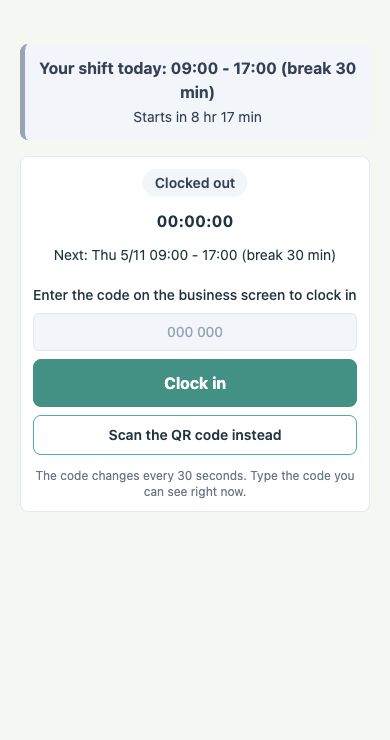
Staff open Zuno on their own phone to clock in. Your configured checks help keep attendance records tied to your business.
A FAIRER RECORD OF THE DAY
Keep scheduled and recorded time in context. Review missed clock-outs and requested corrections with the right manager access.
Attendance checks depend on your setup. Team is not payroll advice.
FROM THE ROTA TO REVIEWED HOURS
Set shift times and breaks. Draft shifts before publishing them.
Your people check their own schedule in Zuno.
Enter the business code or scan its QR code from the app.
Use configured business-location or network checks at clock-in.
Compare scheduled and worked time. Resolve missing clock-outs and corrections.
Review each person’s hours and download CSV records.
Team access and attendance checks depend on your plan, permissions and setup. Hours exports support your records; Team does not run payroll.
BUILT FOR PEOPLE WHO WORK SHIFTS
Plan counter cover and review attendance.
Keep front-of-house and kitchen shifts in view.
Plan busy-evening cover and record worked hours.
Keep staff rotas alongside your booking business.
Plan work and check attendance at your configured business location.
Use Team by itself or add it to your Zuno business, with an eligible plan.
ROOM TO GROW
Use Team on its own or alongside the Zuno solution that runs your business. Keep the people side connected to the way you work.
Plans
Plan shifts and review hours without running a till. Check available Team plans or add-on options.
Loading plans…
A little clarity
Use a phone, tablet or computer with a web browser. You do not need a till, receipt printer or card machine to use this solution.
Check the current plans for availability, included tools and trial offers. Additional businesses and add-ons have their own plan requirements.
Use Log in at the top or bottom of any page. It opens the Zuno app, where you can sign in or create an account.
MAKE IT YOUR OWN
Explore the tools with your own business in mind.
Online payments
Zuno works with Stripe. Each business connects its own Stripe account, customers pay by card, and the money goes straight to the business in its own currency.
 Ireland
 United Kingdom
 Austria
 Belgium
 Bulgaria
 Croatia
 Cyprus
 Czechia
 Denmark
 Estonia
 Finland
 France
 Germany
 Gibraltar
 Greece
 Hungary
 Italy
 Latvia
 Liechtenstein
 Lithuania
 Luxembourg
 Malta
 Netherlands
 Norway
 Poland
 Portugal
 Romania
 Slovakia
 Slovenia
 Spain
 Sweden
 Switzerland
 United States
 Canada
 Mexico
 Australia
 New Zealand
 Hong Kong
 Japan
 Singapore
 Thailand
 United Arab Emirates
Stripe decides for each business whether it can open an account, and its own fees apply. Not on the list? Online ordering and booking still work: customers pay on collection or at the venue, and the till takes cash and card anywhere.